

How to use the Ride Pass
Buying and using the Relaxed plan (Ride Pass).
- 1
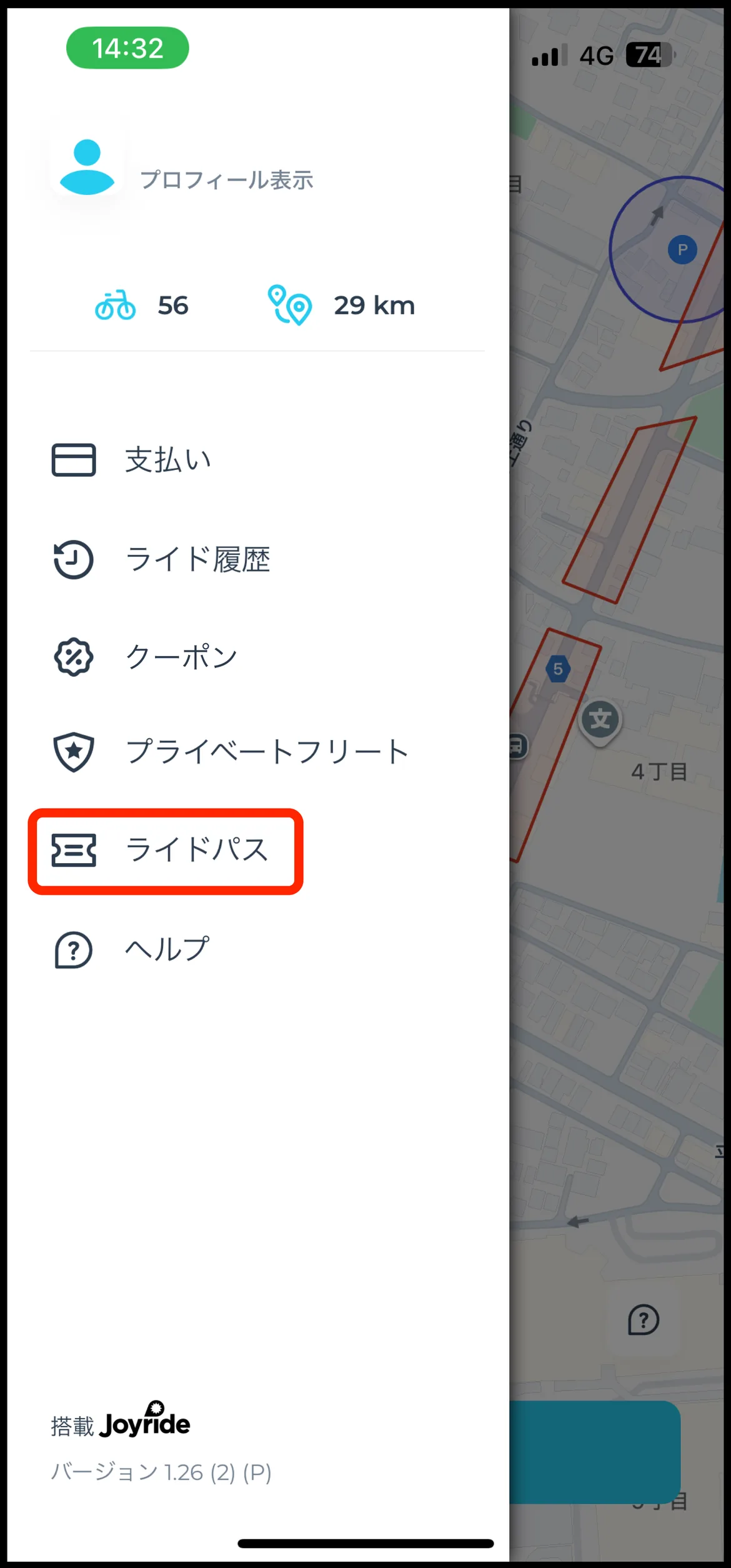
Open “Ride Pass” in the app
A ride pass is bought inside the TOCKLE app before you ride. In Jozankei that is the Relaxed plan (Ride Pass).
Tap “Ride Pass” in the app's menu bar.
- 2
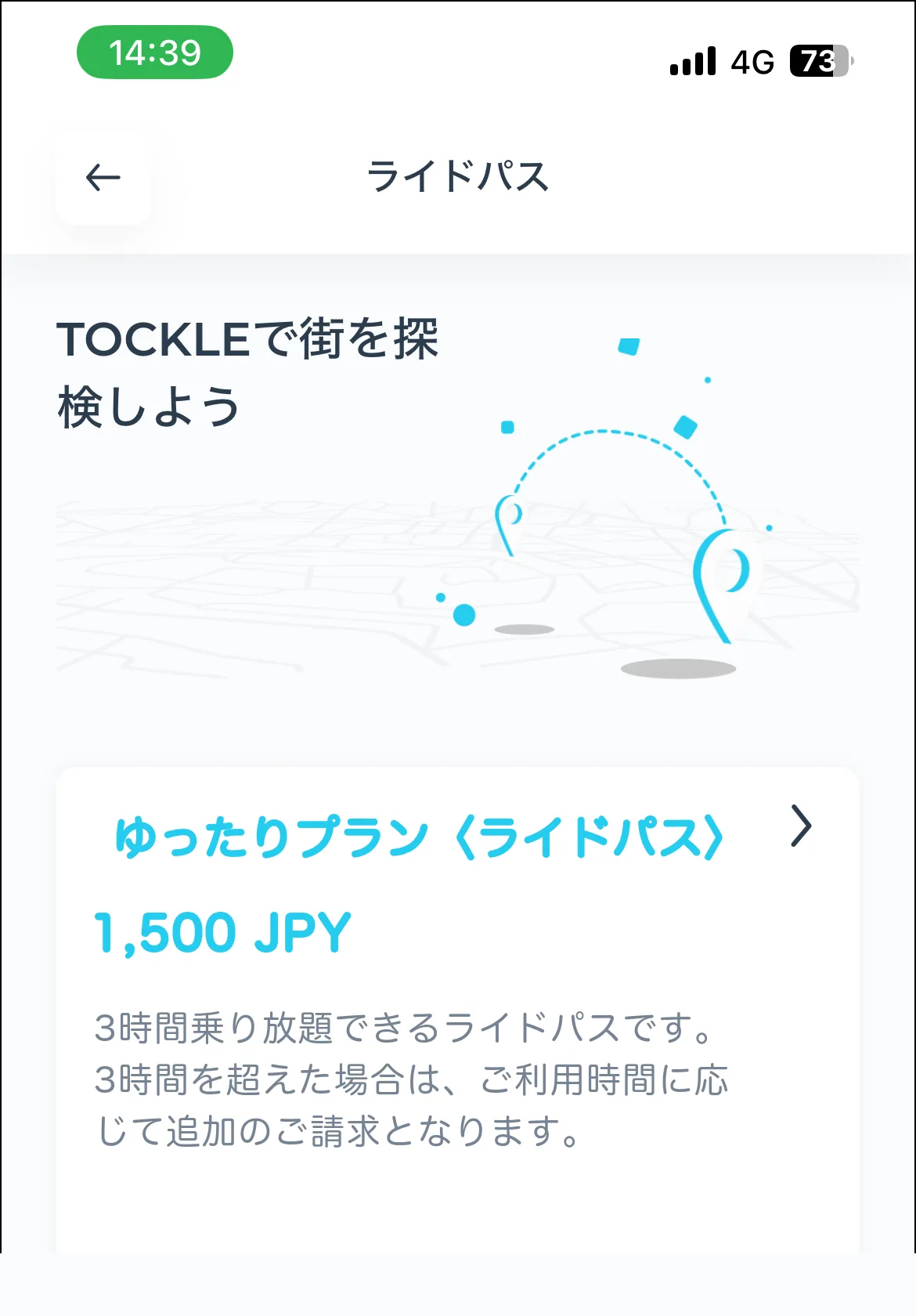
Choose a plan and buy it
Pick the pass you want from the list, then tap “Buy”.
- 3
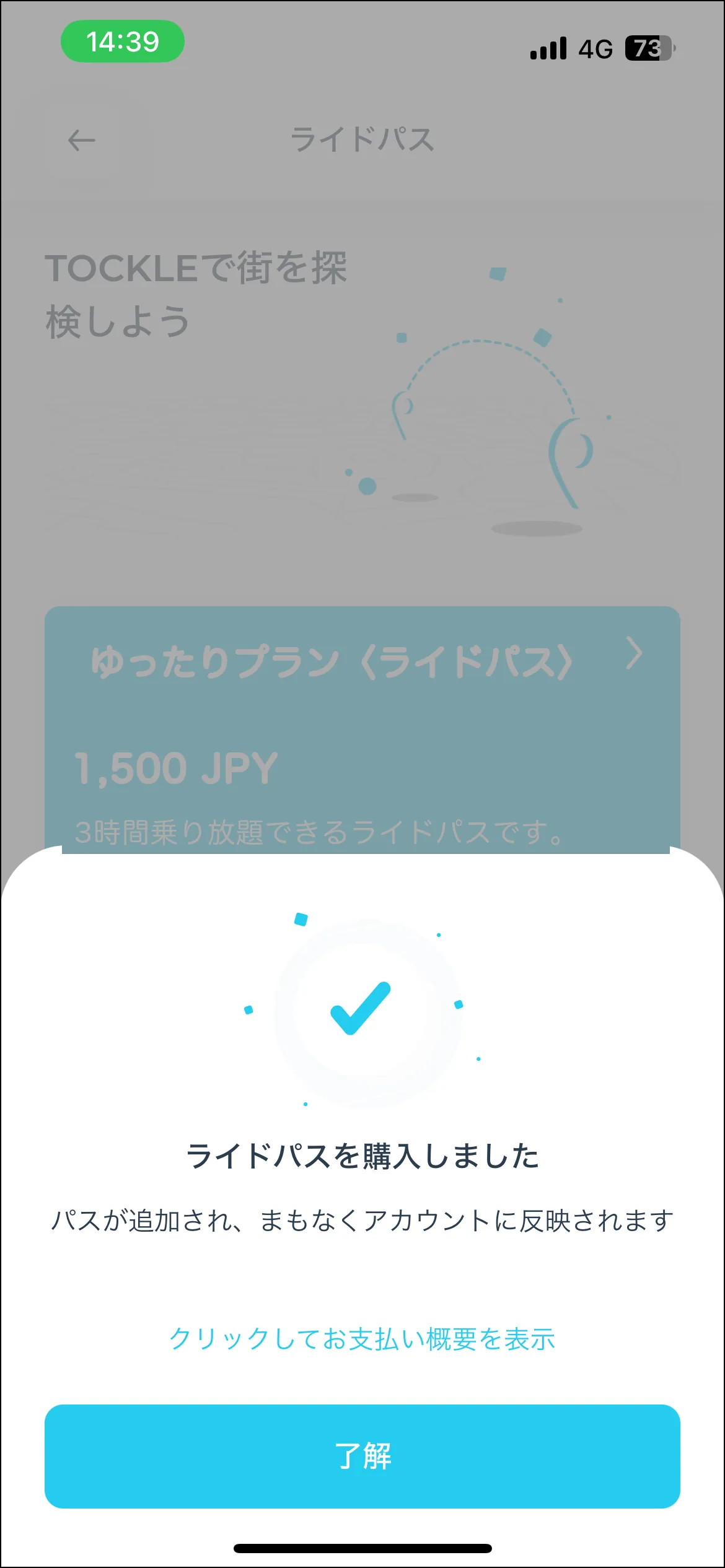
Check it is there
Once bought, the pass appears under “Ride Pass” in the menu.
- 4
Select it when you ride
When you start your ride, select the pass you bought and set off.